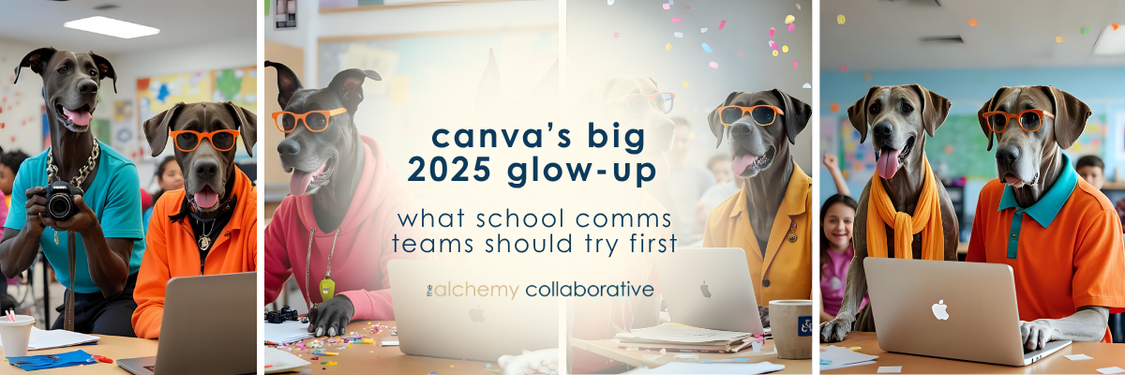

canva’s big 2025 glow-up: what school comms teams should try first


By Brooke Goff November 4, 2025

a design platform that finally “gets” school comms


We say this at least 55 times a week: school communication teams wear every hat imaginable.


One minute you’re editing a video for the superintendent’s message, the next you’re fixing a flyer’s font or wondering how in the world that new (and off-brand) facility design install made it past your approval. 😵‍💫


Canva has long been the tool that makes that juggling act possible and now, with its 2025 update, it’s stepping into a new role: part design studio, part collaboration hub, part AI assistant and we * are * here * for * it.


We hear mixed reviews out there on our old pal Canva all the time. Either you love it (the cool kids) or you hate it (looking at you Chase Goff) but the million dollar question isn’t just what’s new, rather, it’s what’s now possible for school storytellers.


video 2.0 makes storytelling feel effortless


The new Video 2.0 update is Canva’s biggest leap forward for comms teams and we (personally) know how frustrating (and insanely time consuming) video content creation can be.


You can now edit video clips, trim transitions, and sync music automatically. Add voiceovers or captions without leaving your browser and no fancy (or expensive) software (that you probably don’t have time to learn anyway) is required.


our thoughts on how to use it in school comms:


  • Create short highlight reels for events or classroom stories: Leverage the photos and videos that your school teams are sharing on their socials and turn them into quick highlight reels!
  • Capture teacher and student voices for social storytelling: The beat syncing feature is one of our favorites.
  • Produce superintendent updates that actually get watched (and shared): Use their new magic video editor to cut a longer video into bite-sized chunks to increase your engagement!

why it matters:


Video is content, sure. But for us in school communications: it’s
connection. When it’s easier to create, more stories get told.


“The easier it is to tell your story, the more your community can see itself in it.”


 (Say that louder for the people in the back!)


brand system upgrades keep teams consistent (and sane)


Every district communicator knows the struggle: dozens of staff using “their version” of the logo and seven shades of blue. Canva’s new Brand System helps fix that. Our long time partners are used to the ease of the old brand kits, but trust us: this is SO MUCH MORE.


With the new shared brand systems, locked templates, and user permissions, you can keep designs consistent while giving others creative freedom. (Cue the tissues, we know you have tears in your eyes.)


The new Canva Grow analytics tool even tracks which templates perform best which turns into data that can shape smarter campaigns (and be used in your districts local accountability dashboard!)


how to use it in schools:


  • Build one brand hub for the district and connected templates for each school: By creating resources within the Brand System, you’re doing more than just feeding them...you’re teaching them to fish!
  • Empower office staff to create flyers or newsletters, without losing visual alignment: The brand controls are incredibly powerful and help you do a little “design” training with staff who are willing to help!
  • Track engagement data to refine your storytelling strategies: Again, local accountability metrics, anyone?

data that tells a story (not just a number)


In the age of accountability overhaul (especially in Kentucky) schools and districts are collecting endless data - survey results, enrollment numbers, engagement stats - but often, it lives in spreadsheets that no one really sees or understands.


Canva’s new Sheets and Magic Insights tools change that. They turn raw information into clean, visual dashboards that make meaning visible...and the creation: accessible. (...We know, right?!)


With a few clicks, you can pull data from forms, surveys, or existing spreadsheets and watch it transform into easy-to-read charts, infographics, or impact visuals : all within Canva.


how to use it in schools:


  • Turn family survey results into visuals for board reports or newsletters: We also love the embed feature when you’re using tools like Apptegy, ParentSquare or FinalSite. Integrations are your BFF.
  • Build simple dashboards showing progress on your strategic plan.
  • Create infographics that help your community see the impact of their support.

When data becomes visual, it becomes human: a story people can follow, trust, and act on.


canva ai helps teams move faster (but stay human)


Canva’s AI tools - Magic Write, Magic Edit, and Ask Canva - have had a MAJOR upgrade and now work across every format. You can brainstorm campaign ideas, translate announcements, or generate captions in seconds. Struggle to design? Canva has your back.


how to use it in schools:


  • Draft newsletter blurbs or social posts instantly.
  • Translate key messages for multilingual families.
  • Use Ask Canva to guide newer team members through design creation.

Just remember: AI should assist your storytelling, not replace your voice. The real power is when efficiency meets empathy.


what this means for communication leaders


The new Canva ecosystem is a full blown systems upgrade. Comms fellows, this is a day to celebrate.


It aligns perfectly with what district comms leaders already do best: make meaning from chaos, design clarity from complexity, and tell human stories that hold communities together.


If you can design faster, collaborate easier, and stay on-brand without micromanaging then you gain time to do what really matters: listen, connect, and lead the story of your schools...and (omg, let us not forget) relax.


ready to explore?


Start small.


Try one new Canva feature this month : a branded video, an interactive RSVP, or a refreshed newsletter template.


Notice what makes your workflow lighter and your message stronger. That’s where transformation starts.


read our most recent posts

By Brooke Goff July 21, 2026
Most principals are watching local accountability happen from the hallway. You don't have to wait for an invitation. There is a teacher in a school you probably know. Maybe you have someone like her on your team right now. She runs the PLCs. She sits in on planning sessions across grade levels. She knows which classrooms are doing cross-curricular vibrant learning work this quarter, and she knows which teachers need extra support to pull it off. When something remarkable happens in a student's learning, she finds out. She takes the photos. She writes the caption. She is the reason the school's story gets told at all. And she is one person. When local accountability arrives at your building (and it is arriving) it is going to ask for documented vibrant learning evidence, a Portrait of a Learner that lives somewhere public, data that shows your community what your school actually stands for. And if your answer to any of those requests runs through one person's head, one person's phone camera, one person's memory of what happened in third period on a random Tuesday in October, you have a fragility problem. Not a people problem. A systems problem. And it is fixable, but only if you start now, before the district finishes building the dashboard you will eventually be feeding. Here is what I want principals to know before anything else: you are not behind. You are not failing. The local accountability conversation in Kentucky has been happening almost entirely at the district level, and the assumption buried inside a lot of that work is that principals are naturally in the loop. That superintendents are passing information down. That buildings are ready. Most of them are not. And that is not the principal's fault.  What is within a principal's control right now is whether the work already happening in their building gets captured in a way that will matter later. Not a new initiative. Not a new platform. Not a new committee. Three practices, intentionally done, that most strong principals are already doing accidentally.
By Brooke Goff July 7, 2026
We didn't raise our rates. A client assumed we had. Four systems that explain what changed -- and what AI made possible that wasn't possible before.

By Brooke Goff June 22, 2026
What happens when your culture lives only in people's heads? The three school communications systems every organization needs but rarely builds.
the golden lens

sign up to our newsletter to stay updated!

Contact Us

SHARE THIS

learn how we can help